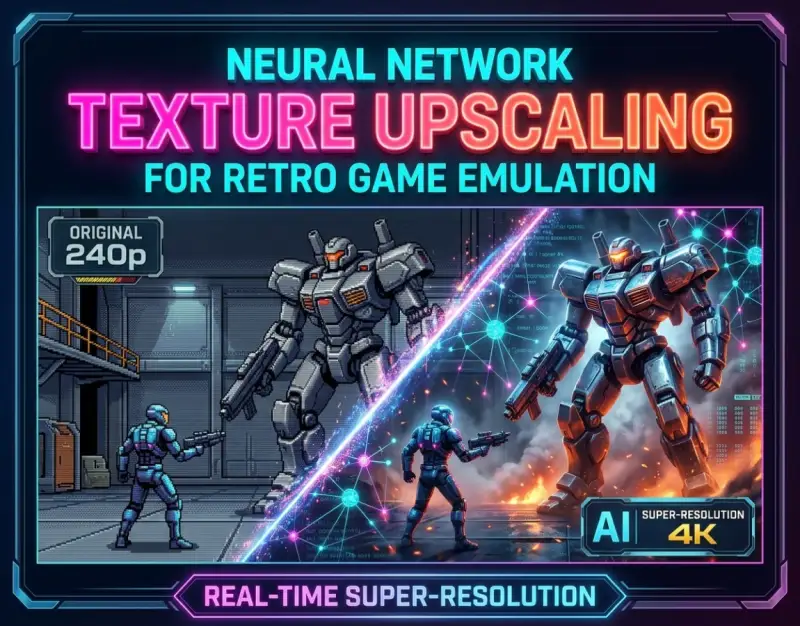
For decades, the preservation and enjoyment of classic video games have been defined by a fundamental architectural compromise: the tension between pixel-perfect historical accuracy and modern display fidelity. When early 32-bit and 16-bit masterpieces—rendered originally for CRT tubes at resolutions a fraction of today's standards—are stretched across modern 4K and 8K panels, the result is often an unsparing exposure of low-frequency bitmaps, aggressive shimmering, and jagged edges. Traditional scaling algorithms like bilinear, bicubic, or even integer scaling solve the math of pixel duplication, but they fundamentally fail to interpret artistic intent. They cannot divine whether a blurred dark patch is a shadow, a stone wall, or a character's eye, leading to smeary, lifeless artifacts that strip away the original charm of pixel art.
Enter the era of real-time neural network texture upscaling. Driven by advances in machine learning, compact convolutional neural networks (CNNs), and tensor core acceleration, emulation software is undergoing a renaissance. Instead of merely blowing up pixels via static mathematical formulas, modern AI graphics pipelines reconstruct high-frequency details on the fly. By leveraging specialized models trained on vast corpuses of artistic styles, texture upscaling breathes unprecedented life into retro game enhancement. This transformation parallels shifts in other cutting-edge technical domains, much like how developers explore immersive environments through Cyberpunk Dystopias in Gaming: Why Modern Sci-Fi Lore Obsesses Over Corporate Mega-Cities, where aesthetic depth and world-building drive technical immersion. Retro emulation is no longer a static window into the past; it is a dynamic, AI-augmented canvas.
As an investigative journalist and hardware analyst tracking these paradigms for Next Era, I have spent the last six months stress-testing the bleeding edge of real-time super-resolution emulation. From custom PyTorch wrappers hooked directly into graphics APIs to specialized Vulkan layers capable of injecting AI weights into legacy pipelines, the technical landscape is evolving at breakneck speed. This comprehensive guide will dissect the foundational mechanics, deliver a strategic deployment blueprint, examine real-world case studies, expose critical pitfalls, and forecast how neural rendering will redefine game preservation for the next decade.
Foundational Principles and Mechanics of Neural Super-Resolution
Understanding Super-Resolution vs. Traditional Filtering
To appreciate what neural networks achieve, one must first deconstruct the limitations of legacy scaling filters. Algorithms such as xBR, Scale2x, and HQx operate on rule-based pattern recognition. They scan pixel matrices for hard-coded geometric shapes—corners, diagonals, and cross-sections—and insert interpolated pixels to smooth lines. While effective for simple 2D pixel art, these filters break down entirely when encountering dithered transparency patterns, pre-rendered 3D backgrounds from the fifth console generation, or complex color gradients common in late-90s titles.
Neural super-resolution, conversely, relies on data-driven inference. Trained on paired datasets of low-resolution source images and their pristine, high-resolution ground-truth counterparts, deep learning models learn the latent features of artistic rendering. When a frame is rendered by the emulator, the neural network evaluates the local pixel context, infers the underlying material (e.g., rusted metal, woven fabric, organic skin), and hallucinates plausible, high-frequency details that match the artistic vernacular of the era. This shifts the computational paradigm from static arithmetic to intelligent visual reconstruction.
The Role of Tensor Cores and Real-Time Inference
Achieving neural network emulation at native refresh rates (60Hz to 144Hz+) demands immense floating-point throughput. Historically, running deep learning models like ESRGAN (Enhanced Super-Resolution Generative Adversarial Networks) was an offline process, taking seconds or minutes per static image. Real-time emulation requires inference times measured in milliseconds or microseconds. Modern GPUs equipped with dedicated tensor hardware—such as NVIDIA Tensor Cores, AMD Matrix Cores, and Apple's Neural Engine—have made this feasible.
In practice, the emulation pipeline intercepts the texture upload phase before it hits the rendering pipeline. Instead of sending a raw 32x32 texture to the GPU memory, the emulator passes it through a lightweight, quantized neural network running on DirectCompute, Vulkan compute shaders, or OpenCL. By shrinking models using post-training quantization (PTQ) and weight pruning, developers can compress heavy multi-megabyte models into lightning-fast, cache-friendly weights that execute within the frame budget of modern graphics cards without introducing perceptible input lag.
Decoding Artifacts: Halos, Aliasing, and Temporal Instability
Deploying AI models in real-time gaming environments introduces unique failure modes that do not exist in traditional rendering. One of the most prevalent is temporal instability, colloquially known as shimmering or flickering. Because neural networks evaluate frames independently or within a very narrow temporal window, subtle changes in camera angle or lighting can cause the AI to hallucinate completely different high-frequency details from one frame to the next. This creates a shimmering effect on surfaces like brick walls or water.
Furthermore, aggressive upscaling can introduce unnatural sharpening halos around high-contrast edges or smooth out intended stylistic grain. Understanding how to tune model parameters, implement temporal feedback loops, and balance inference strength against raw performance is the defining challenge for modern emulation engineers. Successfully navigating these hurdles separates a stuttering, artifact-laden proof-of-concept from a production-ready retro enhancement pipeline.
Setting Up the Emulation Environment: Hardware and Software Prerequisites
Selecting the Optimal GPU Architecture for Compute Tasks
The foundation of any high-performance neural emulation rig is the graphics processor. While CPU-based inference is theoretically possible via ONNX Runtime or CPU execution providers, the latency overhead makes it unviable for real-time 3D titles. When building or configuring a system for AI retro enhancement, prioritize GPUs with robust half-precision (FP16) and int8 tensor performance. NVIDIA’s RTX architecture—starting from the RTX 20-series up to the current RTX 40-series—offers mature driver-level support for TensorRT and DirectML acceleration, making it the gold standard for running complex upscale models.
AMD users are not left behind, though the ecosystem requires careful curation. Modern RDNA 3 architectures feature dedicated AI accelerators that perform exceptionally well under Vulkan compute pipelines, provided the emulation software utilizes optimized shaders. When assessing hardware, VRAM capacity is equally critical. High-resolution texture packs generated by neural networks consume massive amounts of video memory; a minimum of 12GB to 16GB VRAM is recommended if you intend to run multi-gigabyte texture replacements alongside high-resolution internal framebuffers.
Configuring Emulator Backends for Texture Dumping and Injection
Not all emulators are built with neural upscaling in mind. To leverage AI graphics, your emulator of choice must support advanced texture dumping and replacement hooks. Dolphin (GameCube/Wii), DuckStation (PlayStation 1), PCSX2 (PlayStation 2), and RetroArch (via specialized core plugins) lead the industry in this capability. You must configure the emulator's graphical backend to intercept texture calls, saving raw uncompressed textures to a designated directory.
Once the baseline textures are dumped, external Python-based upscaling scripts—utilizing frameworks like chaiNNer or Real-ESRGAN—process the batch, applying specific neural architectures tailored to the game's art style (e.g., anime-focused models for cel-shaded titles, photorealistic models for gritty 6.th-generation games). The processed textures are then repackaged into zip or DDS formats and placed back into the emulator's texture replacement directory for real-time injection during gameplay.
Optimizing Graphics API Pipelines (Vulkan vs. OpenGL vs. DirectX 12)
The choice of graphics API dictates how efficiently your system can juggle game rendering and neural inference. OpenGL, while historically ubiquitous in emulation, lacks the modern multi-threaded command buffer submission and low-level memory management required for seamless texture injection. Consequently, migrating your emulator to Vulkan or DirectX 12 is non-negotiable for high-performance setups.
Vulkan, in particular, offers superior cross-platform support for custom compute shaders and memory mapping. By leveraging Vulkan's asynchronous compute capabilities, the GPU can process neural network inference passes on parallel compute queues while simultaneously rendering geometry on graphics queues. This reduces frame time variance and prevents the dreaded micro-stutter that plagues poorly synchronized hybrid rendering pipelines.
Automating Batch Texture Upscaling with Modern AI Frameworks
Leveraging ChaiNNer and Node-Based Image Processing
Manual texture upscaling is an exercise in futility; automating the workflow via node-based visual programming environments like chaiNNer has revolutionized the retro modding community. ChaiNNer allows users to construct complex image-processing graphs that can ingest thousands of dumped low-res textures, pass them through sophisticated neural models, adjust color spaces, alpha channels, and padding, and output game-ready assets automatically.
To set up an efficient batch pipeline, construct a workflow node graph that includes: an input directory loader, an image format normalizer (handling odd dimensions that break convolutional models), a tile-based processor to prevent VRAM overflow on massive textures, the neural model node (such as DAT-2 or Real-ESRGAN-x4plus), and an output saver configured to export uncompressed PNG or DDS formats. This ensures consistent quality across entire game libraries without manual intervention.
Choosing the Right Neural Model for Specific Art Styles
One size does not fit all in neural upscaling. Deploying a photorealistic model on a classic cel-shaded title like The Legend of Zelda: The Wind Waker yields disastrously muddy, over-textured results. Conversely, running an anime-optimized model on a gritty racing title like Gran Turismo 3 strips away essential surface realism. Matching the model architecture to the artistic medium is a critical step in the enhancement pipeline.
| Model Architecture | Ideal Art Style / Genre | VRAM Footprint | Primary Strengths |
|---|---|---|---|
| Real-ESRGAN | General 3D textures, gritty realism | Medium-High | Excellent detail recovery on organic and metallic surfaces. |
| Anime4K / DAT | Cel-shaded, 2D sprite art, anime | Low | Preserves crisp vector-like edges without ringing artifacts. |
| SwinIR | Complex architectural textures, stone, wood | High | Superior long-range dependency modeling for repeating patterns. |
| BSRGAN | Compressed, low-quality source material | Medium | Robust handling of JPEG compression artifacts and heavy noise. |
Handling Alpha Channels, Mipmaps, and Transparency Masking
A frequent pitfall in automated texture upscaling is the corruption of alpha channels and transparency masks. In retro games, foliage, chain-link fences, and particle effects rely heavily on binary or gradient alpha to determine visibility. Standard upscaling models often process the RGB channels while ignoring or improperly bleeding the alpha channel, resulting in ugly white or black halos around transparent edges.
To counteract this, configure your processing pipeline to separate the alpha channel prior to inference, upscale the RGB color data independently, and apply a specialized edge-aware dilation filter to the alpha mask. Additionally, generating proper mipmaps during the packaging phase prevents texture shimmering on surfaces receding into the distance, ensuring that your AI-enhanced assets look pristine from any camera angle.
Integrating Real-Time On-The-Fly Neural Filters in Emulators
Configuring In-Emulator Shader Injection Layers
While texture replacement packs offer the highest possible fidelity, they require massive storage space and extensive preprocessing. The holy grail of modern emulation is real-time, on-the-fly neural upscaling—a technique where lightweight neural networks run directly inside the emulator's post-processing pipeline, enhancing frames as they are generated without needing pre-rendered asset packs.
Modern forks of emulators utilizing frameworks like RetroArch's slang shaders or custom DirectML hooks allow developers to load lightweight CNN models (such as FSRCNN or custom distilled super-resolution networks) directly into the rendering chain. Users must configure the shader chain parameters to allocate a persistent frame texture buffer, pass it through the compute shader inference pass, and blend the output back into the final display buffer within a strict 16.6ms window for 60fps gameplay.
Balancing Performance Overhead and Resolution Scaling Factors
Running neural networks in real-time exacts a heavy performance tax. Scaling an internal framebuffer from 480p to 4K using a complex neural model can easily drop frame rates from a locked 60fps down into the single digits on mid-range hardware. Therefore, striking a balance between native resolution scaling, internal framebuffer supersampling, and neural network complexity is paramount.
The industry best practice is to employ a hybrid approach: utilize traditional hardware scaling (like integer scaling or 2x internal resolution bumps) to lift the baseline resolution, and apply a lightweight, single-pass neural network strictly for edge reconstruction and detail enhancement. This minimizes computational bottlenecks while still delivering the visual clarity of full AI super-resolution.
Managing Latency and Input Lag in AI Pipelines
Adding layers of neural inference to a rendering pipeline introduces frame latency. If an AI model requires two full frames to evaluate and output an upscaled image, the user experiences a noticeable delay between pressing a controller button and seeing the action manifest on screen. For fast-paced action games, fighting games, and rhythm titles, this lag is completely unacceptable.
Mitigating this requires optimizing the execution queue. Developers must prioritize asynchronous compute dispatch, ensuring that inference tasks run concurrently with physics and audio processing rather than blocking the main render thread. Furthermore, utilizing hardware-accelerated scheduling features available in modern operating systems helps keep input-to-display latency well below the threshold of human perception.
Real-World Case Studies: Successes and Failures in Retro Enhancement
Case Study A: Breathing New Life into Sixth-Generation JRPGs
Consider the preservation efforts surrounding legendary sixth-generation titles such as *Final Fantasy X* or *Dragon Quest VIII* on PCSX2. These games combined fully 3D character models with pre-rendered or low-resolution surface textures, creating a jarring visual contrast on modern 4K displays. In successful enhancement projects, modders utilized ChaiNNer with customized Real-ESRGAN variants to process over 15,000 individual textures per title.
The results were staggering: stone brickwork, cloth weaves, and character armor gained intricate, believable detail without altering the core artistic direction. However, lessons learned from early iterations highlighted the danger of "AI hallucination"—where models misinterpreted crude, low-poly environmental bumps as text, resulting in garbled, unreadable hieroglyphics plastered across ancient ruins. Subsequent projects introduced strict human-in-the-loop validation passes to clean up these linguistic anomalies.
Case Study B: The Pitfalls of Over-Processing Classic Pixel Art
Conversely, a cautionary tale unfolded within the 2D platformer emulation community. Eager to modernize classic 16-bit sprites, developers experimented with running aggressive photorealistic neural models on titles like *Super Metroid* and *Castlevania: Symphony of the Night*. The outcome was a catastrophic stylistic mismatch: flat, iconic pixel art was warped into grotesque, clay-like semi-realism that alienated purists and destroyed the precise geometric readability of the gameplay.
This failure drove home a foundational rule of retro game enhancement: AI is a tool for interpretation, not erasure. Modern best practices dictate that 2D sprite art should strictly utilize vector-preserving neural networks (like Anime4K or specialized xBR-derived AI hybrids) that maintain crisp pixel boundaries while smoothing out stair-stepping, preserving the soul of the original design.
Critical Mistakes in AI Texture Upscaling and How to Avoid Them
1. Ignoring Color Space Shifts and Gamma Degradation
One of the most insidious errors in automated upscaling is the unintended alteration of color spaces (moving between sRGB and linear color spaces incorrectly). When an uncalibrated Python script processes a batch of textures, it often applies gamma correction twice, resulting in washed-out highlights and crushed shadows. The Countermeasure: Always enforce explicit color profile management in your processing pipeline. Ensure that your image loaders preserve embedded ICC profiles and that conversion to floating-point representations maintains linear light math until the final export stage.
2. Over-Sharpening and Ringing Artifacts
In an attempt to make textures look "high definition," practitioners frequently crank sharpening sliders to maximum within their neural pipelines. This introduces severe ringing artifacts—bright halos around dark edges—that make the image look harsh, artificial, and visually fatiguing during extended play sessions. The Countermeasure: Rely on the inherent sharpness of the neural model itself rather than post-processing filters. If sharpening is necessary, limit it to subtle, frequency-selective bilateral filters that target micro-details without touching high-contrast boundaries.
3. Failing to Account for Tile Seams and Boundary Bleed
To prevent VRAM exhaustion when processing massive textures, scripts often chop images into smaller tiles, upscale them individually, and stitch them back together. Poorly configured padding during this tiling process results in visible grid lines and stitching seams across surfaces in-game. The Countermeasure: Implement reflection or replication padding (minimum 16 to 32 pixels overlap) during the tiling phase. This gives the neural network sufficient context at the tile borders, ensuring seamless blending when the image is reconstructed.
4. Neglecting VRAM Bottlenecks in Open-World Emulation
Injecting thousands of uncompressed 4K DDS textures into an emulator dramatically inflates VRAM consumption. Running out of VRAM forces the system to swap assets across the PCIe bus, resulting in severe stuttering, texture pop-in, and occasional emulator crashes. The Countermeasure: Compress your final upscaled texture packs using GPU-friendly formats like BC7 (Block Compression 7). BC7 maintains exceptional visual fidelity while slashing memory footprints by up to 75%, ensuring smooth streaming even on mid-tier hardware.
5. Disregarding Temporal Consistency in Dynamic Lighting
Treating every frame as an isolated static image causes severe shimmering when lighting changes dynamically across a surface. If the AI model fails to account for temporal coherence, static textures appear to crawl and writhe under changing light sources. The Countermeasure: Adopt models that incorporate temporal feedback mechanisms (such as recurrent neural networks or optical flow guidance) or utilize multi-frame blending shaders in the emulator backend to stabilize high-frequency details across sequential frames.
Frequently Asked Questions (FAQ)
Does neural network texture upscaling introduce input lag?
When using pre-rendered texture packs (where AI-processed assets are loaded directly from storage into VRAM), there is virtually zero additional input lag compared to standard emulation. However, real-time on-the-fly neural filtering—where frames are processed by a live compute shader network on every tick—can introduce a few milliseconds of latency. Proper asynchronous compute scheduling and hardware optimization are required to keep this latency imperceptible.
Can I run AI texture upscaling on integrated graphics or mobile devices?
Running heavy neural models on integrated GPUs (like Intel Iris Xe or AMD Radeon Vega) or mobile chipsets (such as Snapdragon or Apple M-series) is currently viable only for lightweight models like Anime4K or highly quantized FSRCNN variants. Heavy architectures like Real-ESRGAN demand dedicated desktop-class tensor hardware to maintain acceptable frame rates. However, mobile hardware is rapidly catching up, opening the door for future handheld emulation breakthroughs.
Will AI-enhanced textures break the original game physics or collision boxes?
No. Texture upscaling affects strictly the visual presentation layer (the skin of the game). The underlying geometry, collision meshes, hitboxes, and game logic remain entirely untouched because the emulator continues to run the original compiled machine code of the game engine. Visual changes are purely skin-deep.
How much storage space do neural texture packs typically require?
Storage requirements vary wildly depending on the scope of the game and the compression format used. A small 16-bit title might require less than 100MB of enhanced assets, whereas a massive open-world sixth-generation or seventh-generation title (like *GTA: San Andreas* or *Metal Gear Solid 3*) with fully upscaled 4K BC7 textures can easily consume between 15GB to 50GB of storage space.
Are there legal implications to using AI texture packs in emulation?
Texture replacement packs generally operate in a legal gray area similar to traditional ROM hacks and translation patches. Because texture packs distribute modified derivative works of copyrighted assets, they are typically shared as patch files that require the user to dump their own legally owned physical game media. Always consult local copyright laws and community guidelines regarding distribution rights.
Strategic Roadmap and Final Takeaway
The convergence of neural network technology and retro game emulation marks a monumental leap forward in digital preservation. We have transitioned from crude mathematical interpolation to intelligent, context-aware visual reconstruction. As hardware manufacturers continue to integrate dedicated neural processing units (NPUs) into consumer silicon, the line between offline asset pre-processing and real-time on-the-fly neural super-resolution will continue to blur.
For enthusiasts, developers, and preservationists, the immediate path forward is clear: master the balance between fidelity and artistic integrity. Avoid the trap of over-processing; respect the architectural constraints and stylistic intent of classic titles; and leverage modern automation pipelines to make retro enhancement accessible across diverse hardware ecosystems. By embracing these tools responsibly, we ensure that the foundational masterpieces of gaming history do not merely survive in dusty archives, but shine brilliantly on the highest-resolution displays of the modern era.
Be the first to share a gentle reflection on this story.